
Web Accessibility in 2026: ADA Compliance, accessiBe, and the Small Business Tax Credit
Summary
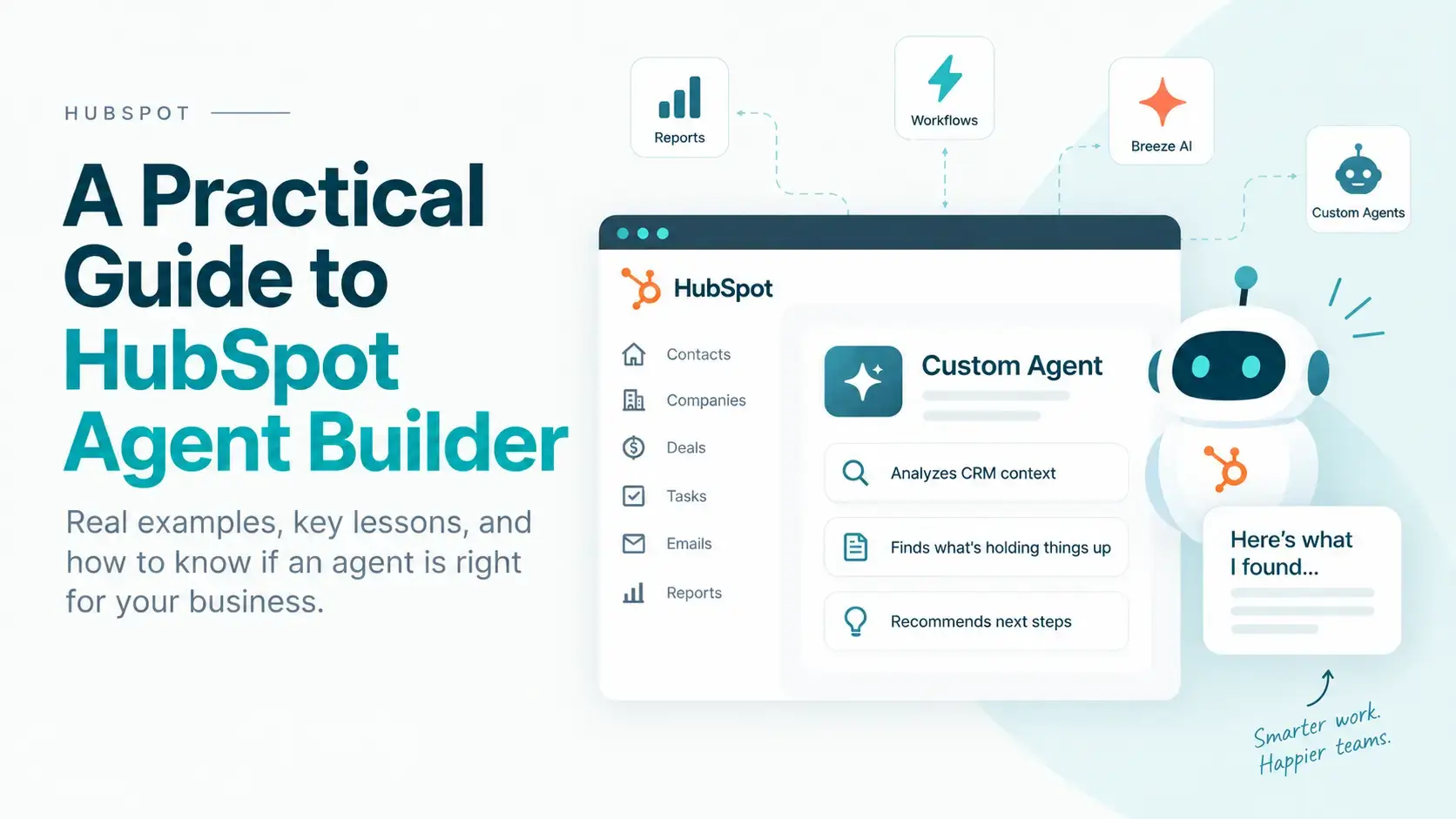
HubSpot’s Agent Builder lets you create custom AI agents that can use CRM data, instructions, knowledge sources, and actions to perform repeatable business tasks.
We built and tested multiple agents using real CRM data. The biggest lesson was not that agents are easy to build, it was that the useful agents do something a report, list, workflow, or generic AI summary cannot do well: reason across messy CRM context and recommend a specific next action.
A few takeaways:
- Start with a business problem, not with “what agent should we build?”
- If a report or workflow can answer the question, use the report or workflow.
- Agents are more useful when they need to interpret emails, notes, calls, tasks, forms, and record history together.
- CRM hygiene, associations, and structured data directly affect agent quality.
- Missing CRM evidence does not necessarily mean an action never happened.
- Prompt refinement helps, but at some point the limiting factor becomes the data the agent can actually access and understand.
- Test heavily before automating anything consequential.
- Agents can uncover internal weak points in process, CRM structure, and follow-up workflows
What is HubSpot Agent Builder?
HubSpot Agent Builder is a beta tool inside Agent Hub for creating custom AI agents around your own business processes.
Instead of using a generic chatbot, you define the agent’s:
- Instructions: what it should do, how it should reason, and how it should format its output
- Actions: such as reading or writing HubSpot CRM records, browsing the web, or using other available tools
- Knowledge: persistent context such as knowledge vaults, brand information, products and services, or other business documentation
- Inputs: information supplied at runtime, including CRM objects or configurable values
HubSpot also supports using agents inside workflows, which is where this gets more interesting. An agent can become one reasoning step inside a larger automated process instead of something a user has to manually run every time.
As of this writing, HubSpot documents Agent Builder and Agent Hub workflows as beta features. HubSpot Credits are required for running certain agent features, although testing an agent inside the builder does not consume credits.
We did not want to build an agent just to say we built an agent
That was the first useful constraint.
There are plenty of things in HubSpot that already have a better tool.
| Question or task | Better HubSpot tool |
|---|---|
| Which counties produced the most revenue? | Report |
| Which deals have had no activity for five days? | List or workflow |
| Create a task when a deal changes stage | Workflow |
| Summarize a single CRM record | Native Breeze functionality |
| Read emails, notes, calls, tasks, and forms to determine why an opportunity stalled | Custom agent |
| Determine whether information requested from a customer may already exist elsewhere in the CRM | Custom agent |
| Interpret an ambiguous customer conversation and recommend a specific next action | Custom agent |
That distinction matters.
If the answer can be produced by filtering structured properties or making a chart, you probably do not need an agent.
The better question is:
What repetitive decision or research task requires enough context and judgment that a normal workflow or report starts to break down?
The first agent we built: finding expansion opportunities in existing clients
Our first experiment was an internal Client Opportunity Reviewer for Inbound Design Partners.
The goal was to review an existing client account and look for credible expansion opportunities based on CRM history, the client’s website, existing proposals, completed projects, and the services we actually provide.
The first version technically worked, but it exposed a problem quickly: the agent treated existing proposals and known work as “new” opportunities.
So we tightened the instructions. Before suggesting anything, the agent had to establish the current relationship and existing pipeline. Active projects, open proposals, retainers, and recently completed work could not be counted as net-new opportunities.
The result got much better.
That led to one of our first important lessons:
Agent Builder does not fix bad CRM hygiene. It makes the cost of bad CRM hygiene much more obvious.
If emails are not logged, deals are stale, associations are incomplete, or proposal status is unclear, the agent has the same problem a new employee would have: incomplete context.
The second agent: diagnosing stalled loan opportunities
We then tested a more operational use case in a client HubSpot portal for a specialty lender.
We built a Loan Opportunity Recovery Agent designed to:
- Review open opportunities within a configurable time window
- Identify a small set showing signs of stalled progress
- Review the associated CRM history, including contact-level activity
- Determine what appears to have happened before progress stopped
- Identify the likely blocker
- Determine who appears to own the next step
- Find missing, overlooked, or poorly documented information
- Recommend one specific next action
- Surface recurring process or CRM-data patterns across the selected records
The key was not merely finding inactive opportunities. HubSpot can already do that with a list or workflow.
The useful part was asking the agent:
Why does this opportunity appear stuck, and what should a human do next?
What the agent actually surfaced
Across repeated tests, the agent found several useful types of situations.
A borrower had already said they were probably not proceeding
One opportunity had remained open in an active stage for months even though the borrower had previously responded that they were probably not moving forward at that time.
The useful output was not “this deal is old.”
It was: the CRM disposition may no longer match the last documented borrower intent, so verify the record before sending more outreach.
Important application information existed, but review status was unclear
In several cases, application information and document references existed on the associated contact record, but the available CRM data did not clearly show the internal review outcome or current missing items.
The agent correctly recommended verifying what had already been supplied before asking the borrower to submit anything again.
A connected call existed, but the next step was undocumented
A completed call is not very useful to the next employee—or an AI agent—if the record only says the call connected.
Without a conversation summary, outcome, next-step owner, or follow-up date, the agent could not reliably determine what was supposed to happen next.
A borrower reply existed, but the agent could not access the content
This was another useful failure mode.
Rather than inventing an explanation, the agent flagged the limitation and recommended that an employee open the actual communication before sending another message.
That is exactly the behavior we wanted: recognize uncertainty instead of manufacturing an answer.
Here’s a simplified example of the difference. A workflow can identify an inactive deal. An agent can potentially read the surrounding CRM context and explain why it’s inactive and what should happen next.
Interactive demo · sample data only
See What an Agent Adds Beyond a Stalled-Deal Report
Pick a fake CRM scenario. First see what a normal workflow can detect, then run the example agent analysis to see what contextual reasoning adds.
What a workflow can see
What the agent adds
Likely blocker
Evidence
Next-step owner
Recommended next action
Process / CRM signal
This demo uses fictional CRM records and predetermined example output. No visitor data is sent to HubSpot AI or an external model.
The biggest lesson: the hard part is context, not the prompt
We spent a fair amount of time refining the instructions, and that helped. But eventually the improvements stopped coming from better wording.
The limiting factors became things like:
- whether activity was associated with the Deal, Contact, or both
- whether the agent could access the actual content of a communication
- whether an internal process had a structured CRM property
- whether calls contained notes
- whether tasks were completed or merely left open
- whether information existed in one part of the CRM but not another
At that point, more prompt engineering was not the answer.
The quality of a CRM agent is constrained by the quality, structure, associations, and accessibility of the CRM data it has to reason over.
That is probably the most important thing we learned from the experiment.
Missing data does not always mean a broken process
This was another important correction we had to make.
If HubSpot does not show a completed follow-up, that does not necessarily mean the follow-up never happened.
Maybe the employee called from another system. Maybe the activity was associated only with the Contact. Maybe the agent cannot retrieve that particular communication. Maybe the work happened but was never documented.
So we taught the agent to distinguish between:
- Possible operational issue: evidence suggests the action may not have happened
- Possible CRM hygiene issue: the action may have happened but was not documented
- Possible association or data-access issue: the information may exist but is not visible where the agent expects it
- Unclear: the available data cannot support a stronger conclusion
That sounds like a small prompt change. In practice, it is the difference between an agent saying “your team failed to follow up” and the more defensible “no completed follow-up is documented in the CRM data I can access.”
Agents can also expose CRM design problems
The recovery-agent experiment repeatedly surfaced a few fields that would make both human and AI review easier:
- Application Review Status
- Missing Items
- Next-Step Owner
- Next Action
- Next-Step Due Date
- Call or Meeting Outcome
- Conversation Summary
That does not mean every company should immediately add those exact properties.
It does mean an agent can expose something useful about your CRM architecture: which decisions repeatedly require humans to reconstruct the story from scattered activity instead of reading a clear current status.
In that sense, Agent Builder can function as a stress test for CRM design.
Be careful with system properties and false patterns
We also ran into two less obvious issues that are worth mentioning.
First, an AI agent can misinterpret a CRM property if the property name sounds relevant but its actual HubSpot meaning is different. We had to explicitly tell the agent not to treat unrelated HubSpot system properties as proxies for a client’s loan-review process.
Second, you have to watch for selection bias.
If overdue tasks are one of the criteria used to find stalled opportunities, then “all five selected opportunities had overdue tasks” is not proof that overdue tasks are common across the entire pipeline.
We added rules requiring the agent to separate:
- what it observed in the selected sample
- what it could verify across the broader population
- what remained unknown
The same analytical discipline you would expect from a human analyst still matters when the analyst is an AI agent.
Where Agent Builder is more useful than a workflow
A workflow is excellent when the logic is deterministic:
If X happens, do Y.
An agent becomes more interesting when the middle of that sentence requires interpretation:
If X happens, review the relevant history, determine what is most likely going on, and decide which Y is appropriate.
For example:
Workflow: Deal has had no meaningful activity for 14 days.
Agent: Read the deal, contact, emails, notes, calls, forms, and tasks. Determine why progress appears to have stopped and recommend the next human action.
Workflow: Route the result, create a task, update a field, or notify the appropriate employee.
That combination—workflow for detection and orchestration, agent for interpretation—is where I think a lot of the practical value will be.
HubSpot is moving in this direction as well. Agent Hub now includes beta agentic workflows, and HubSpot documents using agents as part of broader automated processes rather than only as manually run tools.
Not every AI-shaped problem needs an agent. Use this quick grader to see whether your use case is probably a better fit for a report, workflow, native Breeze feature, custom agent, or some combination of them.
Interactive tool
Should This Be a HubSpot Agent?
Answer five simple questions about the job you want HubSpot to handle. We’ll tell you whether it’s probably a better fit for a report, workflow, HubSpot’s built-in AI, a custom agent, or a combination.
Best fit
Why
Suggested setup
This is a quick decision framework, not a live analysis of your HubSpot portal.
B2B SaaS use cases that make more sense to us now
After building these agents, I would look for use cases where your team repeatedly has to reconstruct context before deciding what to do.
Customer expansion agent
Review account history, product usage context available in the CRM, support issues, emails, current products, and prior conversations to identify a credible expansion opportunity—without treating an existing proposal as something new.
Renewal or QBR briefing agent
Build a concise account briefing from recent activity, unresolved issues, customer goals, adoption signals, and open commitments before a renewal or QBR.
Stalled-deal diagnosis agent
Let normal HubSpot automation identify deals with objective inactivity. Then have an agent read the messy context and explain what appears to be blocking the deal.
Onboarding handoff agent
Review the sales history after a Closed Won deal and identify important promises, customer goals, implementation requirements, missing information, and risks before the onboarding team takes over.
Customer-risk review agent
Analyze support conversations, notes, meetings, tasks, and recent account activity to identify why an account may need human attention. The agent should surface evidence and context—not make an irreversible customer decision on its own.
How to choose your first HubSpot agent
A good first use case usually has three characteristics.
1. The task happens repeatedly
If someone on your team performs the same research or reasoning process every week, there may be an opportunity.
2. The necessary context exists somewhere in HubSpot
The data does not have to be perfectly structured—that is part of where an agent can help—but the information needs to exist and be accessible.
3. Better interpretation creates a measurable business outcome
Examples include:
- recovering stalled revenue
- reducing manual account research
- improving handoffs
- identifying expansion opportunities
- reducing duplicate customer requests
- improving CRM accuracy
- surfacing unresolved customer issues sooner
If you cannot explain the business outcome, you probably do not need an agent yet.
A practical way to build one
Based on our testing, I would use this sequence:
- Define the business outcome. What human decision or research step are you trying to improve?
- Rule out simpler HubSpot tools. Could a report, list, workflow, or native Breeze feature already solve it?
- Map the data. Where do the relevant emails, notes, forms, calls, tasks, properties, and associated records actually live?
- Define evidence rules. Tell the agent what it can conclude, what it cannot conclude, and how to handle missing information.
- Keep actions limited at first. Reading and recommending is safer than immediately allowing the agent to write or trigger external actions.
- Test across very different records. Do not tune the agent around one perfect example.
- Look for repeated failure modes. If the same information is missing every time, the CRM may need improvement more than the prompt does.
- Automate only after the reasoning is stable. Once the outputs are reliable, use Agent Hub workflows or the Run Agent workflow action to make it part of a larger process.
HubSpot’s current Agent Builder documentation specifically recommends testing and refining the agent until its output is consistent before publishing. Testing inside the builder does not consume HubSpot Credits, which makes this iteration phase relatively painless.
One recent HubSpot change that makes this more practical
Agent Builder is no longer just about manually running a custom AI tool.
HubSpot’s newer Agent Hub workflow capabilities allow teams to build multi-step processes around agents. HubSpot also now lets Breeze Assistant help generate an initial custom-agent configuration from a natural-language description of what you want the agent to do.
That lowers the setup barrier, but it does not change the central lesson from our testing:
The hard part is defining a worthwhile job for the agent and giving it trustworthy context—not getting an AI agent onto the screen.
Our take on HubSpot Agent Builder
I think Agent Builder is worth paying attention to, especially for companies with a lot of useful history already living in HubSpot.
But I would not start by asking:
“What AI agent can we build?”
Start with:
“Where does our team repeatedly spend time reading through CRM history and figuring out what happened before deciding what to do next?”
That is where an agent may have a real job.
And if the answer turns out to be a report or workflow instead, that is fine too. The goal is not to use AI everywhere. The goal is to use the simplest tool that solves the problem well.
Need help figuring out where Agent Hub fits?
We work inside HubSpot every day—website development, CRM-connected experiences, custom functionality, integrations, performance, and AI-enabled workflows.
If you are looking at Agent Hub but are not sure whether your use case needs an agent, a workflow, better CRM structure, or some combination of the three, we can help map it out and build the right solution.
Contact Inbound Design Partners
Frequently Asked Questions
What is HubSpot Agent Builder?
HubSpot Agent Builder is a beta tool in Agent Hub that lets eligible HubSpot customers create custom AI agents using instructions, actions, knowledge sources, and runtime inputs. Agents can analyze CRM data, generate outputs, and perform supported actions based on a defined business process.
How is a HubSpot agent different from a workflow?
A workflow is best for deterministic automation: when a known condition occurs, perform a defined action. A custom agent is more useful when the process requires interpreting multiple pieces of context before recommending or taking the appropriate next step.
Can HubSpot custom agents read CRM records?
Yes. HubSpot provides a default action that allows custom agents to read HubSpot CRM records. HubSpot also supports a write-to-CRM action for use cases where the agent should update CRM information.
Can HubSpot agents run automatically?
Yes. Published agents can be incorporated into HubSpot workflows, including workflows built in Agent Hub, so an agent can run as part of a larger automated process.
Do HubSpot custom agents use credits?
HubSpot states that Agent Builder features require HubSpot Credits for execution. However, testing an agent inside Agent Builder does not consume credits. HubSpot also provides estimated credit usage and run-limit controls before production use.
What is the best first use case for HubSpot Agent Builder?
A strong first use case is a repeated task that requires reviewing multiple CRM records or unstructured interactions before deciding what to do next. If the question can be answered with a simple property filter, report, or workflow, those tools are usually a better choice.
Does better prompting fix poor CRM data?
Only to a point. Instructions can help an agent interpret uncertainty correctly, but they cannot reliably replace missing conversations, unlogged activity, weak record associations, or business status that is never captured in the CRM.
Tags:

Josh Markus
9/6/26, 4:46 PM
9/6/26, 4:46 PM
Josh is the owner of Inbound Design Partners and a HubSpot & WordPress expert. With years of experience solving complex web challenges, he helps businesses build smarter, more effective websites. Have a question about making your website work better? Josh has the answers.